You are browsing the archive for Reviews.

The Real Book Play-Along – Volume 1

April 16, 2010 in Articles, Reviews

Hal Leonard is selling a CD set of backgrounds to ALL the songs in the Real Book Vol. 1. For about $100, you get 12 CDs of piano, bass and drums background that range in time from about 2 1/2 minutes to 6. Depends on the song. A couple of songs, like Wave, have guitar on them….sorta….it almost sounds like a synth patch. Or it was added as an afterthought. Some of the tracks could have been better with just guitar, bass and drums (like wave or Summer Samba). A couple of songs they took the piano out and replaced it with an electric keyboard type sound (like Sugar) which isn’t bad, but it isn’t as good as, say, a good B3 type of sound.

Is it worth the $100? Yes. Originally I thought this would be sort of a lame package, or something that wouldn’t really add anything to the songs one might already have the Aebersold versions of. Or maybe that my favorite program, Band in a Box could do what this offers and more. The backgrounds on these discs are accurate playings of the songs found in the Real Book that Hal Leonard publishes (or if you still have the “illegal” version that used to float around until Hal Leonard picked it up). The guys on the discs will give you whats on the page. I suppose that Band in a Box could do that too with some work, but it still couldn’t capture the drum hits on songs like Some Skunk Funk.

9/10. It’s a little costly, some of the songs aren’t as long as I would have liked, and I wish there was more variety than 90% if the tracks being Piano, Bass and Drums, but it still offers a lot of songs (240 according to my iTunes playlist after I imported all of them) to practice with.

Saitara Software AC-7 Pro Control Surface for iPad

April 15, 2010 in Articles, Reviews, Videos

Yes, the iPad is out. Yes, it is amazing. No, it is not simply a bigger iTouch or an iPhone without the phone part. If you haven’t been able to try one, then go to a store and try it. You will be hooked. There are a few music apps out, like Magic Piano which is neat-o to show your friends, but really has no practical use in my opinion.

However, there are a few functional apps in the store, and one that I’m growing fond of is the AC-7 Pro Control Surface for the iPad ($9.99). It turns your iPad into a virtual fader board and DAW controller for Logic, Digital Performer, and Pro Tools. It does this “magic” by utilizing your WiFi network to connect to your Mac using an open source program called DSMI to connect to the app and translate its messages to midi. You then go and configure your DAW to receive the midi stream from DSMI as a Mackie Control. And it works….mostly.

I say mostly because, well, there are issues. First off, using your general wifi network (ie the network that your mac, iphone, ipad, internet connection is on) it seems to work most of the time, but it will lose connection every now and then. Usually when you really need it. General consensus seems to be that on an busy network, if there is a packet that gets dropped, DSMI and the app don’t retransmit it. Or something to that effect, resulting in programs like Pro Tools complaining about the HUD connection or worse, messing up the position of the fades, which could be bad.

If you have a Mac that has built in WiFi, you can create a private wifi network, and put the iPad on it, and then the App works flawlessly (at least for me). But if you have a MacPro that doesn’t have its own wifi transmitter, well, you are going to have to suffer for a while. To get dynamic track names, you also need to use a freeware program called midipipe.

So, it is a start. I think really what needs to be done is a custom app on the Mac side that connects properly with the iPad app and won’t drop packets and drops the need for midipipe. If you can get through the setup, it is a very slick app. The Pro Tools support is basic, but the support for Digital Performer and Logic is pretty darn complete. And it can only get better with updates which will hopefully add more Pro Tools support. It’s bleeding edge, but workable. It is really nice now to not have to be tied to the computer to control Pro Tools. If you have an iPad, or an iPhone/iTouch (there is a smaller version for iPhone/iTouch), and work with DAWs a lot, check this app out.

8/10 (2 points deducted because there is no unified mac app for it…..you have to run 2 programs, and the configuration is not totally apparent).

Some guys demo of it.

Why this guy is wearing a Microcrap shirt I don’t know……(Update: He works for Microcrap….I can hear the chairs being thrown by Steve Ballmer now….)

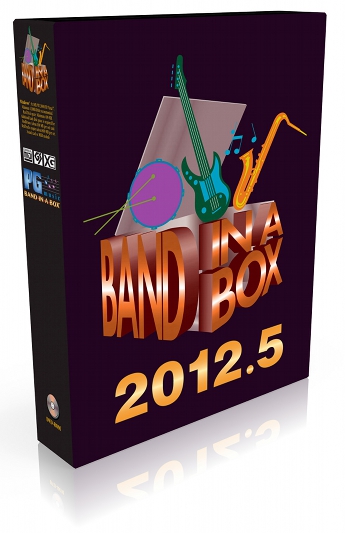
Band in a Box 2010 for Macintosh

March 16, 2010 in Articles, Reviews

It has been really hard keeping the cat in the bag (I was a beta tester for the last 2 weeks or so), but tonight PG Music finally released Band in a Box 2010 for the Macintosh. As was the case in the previous version, this version is Intel only. So, you people with G5s or other PowerPC chipped computers….you are out of luck. Though the speed increases in this version (more on that in a sec) probably would have made Band in a Box 2010 tolerable for G5 Macintoshes.

There are quite a few new features, and I’ll list the ones that I think are the best.
1. “No more long waits for RealTracks to generate! RealTracks generate much faster, 4X faster on average. A typical song with RealTracks that took 20 seconds to generate will generate now in about 5 seconds. And if you freeze some or all tracks in the song (see below), playback of RealTracks is almost instantaneous.” In Band in a Box 2009.5, generating Real Tracks took FOREVER. Even on a MacPro, it took a while. On an iMac…..it could take nearly a minute in some cases. NOT ANYMORE. On my iMac from 2006 (a lowly 2 Gigahertz Core 2 Duo iMac), it was fast in generating real tracks. Most took maybe 5 seconds to do. I think the longest (like 10 choruses with 4 real tracks and a real soloist) took maybe 10 seconds. Ok, 12. But that was still totally fine. They are NOT kidding about the speed. It is way faster. Useable fast.

2. “Time for generation of MIDI arrangement is much faster – now ‘instantaneous (less than 1 second)!” Yup. Midi arrangements are nearly you press play and it goes. Even if you do 20 choruses with 5+ instruments.

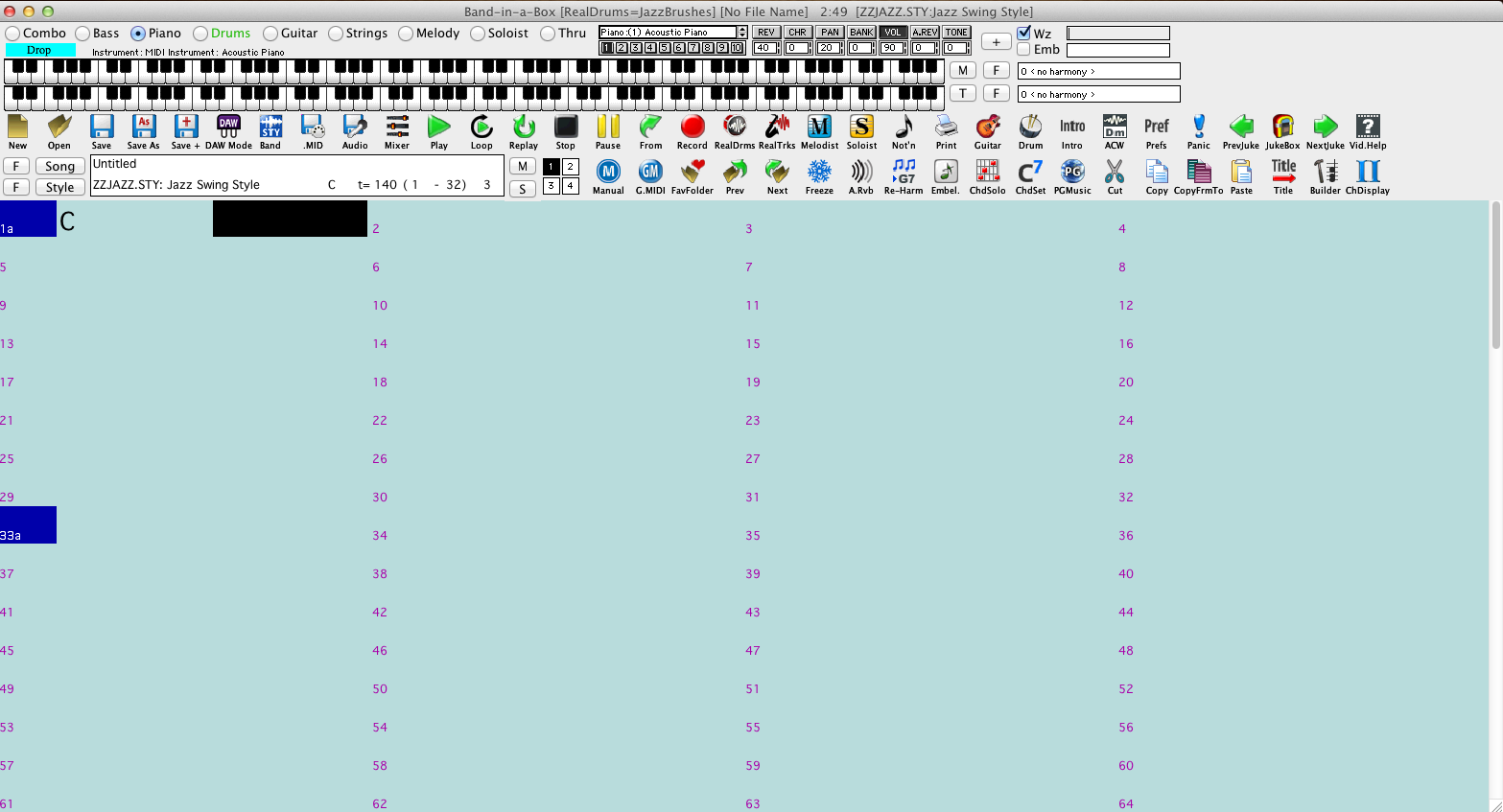
3. “There is now a “Plug-in” mode for your favorite sequencer (GarageBand, ProTools, Logic, Nuendo, Reaper and more). With the new plug-in mode, BB is open as a small always-on-top window, and acts as a plug-in for your favorite DAW/sequencer, so that you can Drag-n-Drop MIDI and audio (AIFF) tracks from BB to your favorite sequencer. Work in your favorite sequencer, type a progression in Band-in-a-Box, and then simply drag the track from Band-in-a-Box to your sequencer’s track at the desired track and bar location.” This is actually really cool, though how it works is a little strange initially. You can, say, load up Garage Band, and say you have been working on a tune that is in 3/4 and is in the key of A and you need a guitar line. Or solo. You can fire up Band in a Box, type in some chords, select a style or soloist or real track, or real soloist (or whatever they call it), and switch Band in a Box into DAW mode, tell it you want to generate AIFF or m4a audio tracks or Midi tracks, and drag the track right into Garageband. Boom. (I did leave out one step, but I feel you need to SEE it to understand it)

4. “Freezing (locking) MIDI or Real tracks/RealDrums. Any track can now be frozen (MIDI or Real track). When frozen, it won’t get changed or re-generated. This saves time when replaying previous songs, and allows you to freeze an arrangement that you like. If you freeze the whole song, you don’t have to wait at all for the song to regenerate. Next time you play, it is ready to go. (Note: this new freeze feature is different than the previous limited freeze feature that renders the whole arrangement to the audio track)” Kinda cool, but since it is so much faster overall in generating tracks I didn’t really use it much. Though if you FREEZE all the RealTracks, it plays back the song instantly.

There are some other things like it will Normalize a rendered Audio file, Endings of songs work better, you can resize the window, things are saved with the song. All good stuff. But the 4 listed above I think are the bread and butter. Ok, so, there are still some things that are in the Windows version of Band in a Box that are not present in the Macintosh version. Most notable is the Ear Training part (which is really nice). It doesn’t detract from the overall amazingness that this program has. If you do music, you NEED to have this program on your computer. If you are a Jazz student, or someone who plays jazz, this program is something you need to have for working out that new chord progression at whatever tempo, for 30 choruses, in a Polka style. Or whatever.

Upgrade price from Band in a Box 2009 is $159. First time purchasers $399. You get something like nearly 70 gigs of stuff. Amazing sounds. Totally worth it. 10/10 (and I can’t remember the last time I gave something a 10 out of 10)

Rico Saxophone Strap

March 3, 2010 in Reviews

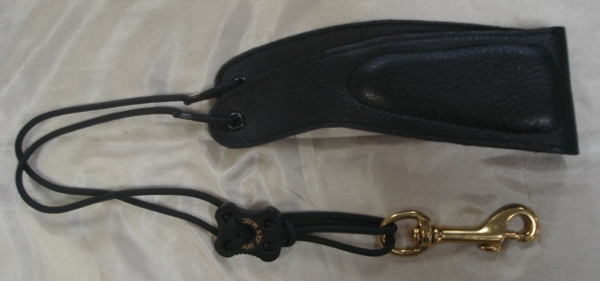
A few months ago, RicoReeds.com had a survey or something (honestly don’t remember) on their website that, if you took the time to fill it out, they’d send you a neck strap. Well, lo and behold months later, I received said strap.

(it looks sorta like the one on the right, sorta. The patterns different.) If I was buying this strap for $10, I would. The hook is great, and it adjusts in a snap. That is what I love. My favorite neckstrap to take on gigs, especially if I have to switch saxophones a lot or use a bass clarinet, is a Ray Hyman strap.

Why you say? It adjusts instantly, and easily. But it has no padding?!? True enough, but generally in Orchestra Pit work and gigs, one wears a shirt with a collar. However, since I am down to ONE of these Ray Hyman straps (from 3 :-/), this Rico Strap will probably be the strap of choice. It is more comfy than the Hyman, but still has its adjustability. Oh, and they also make the same strap but padded.

I like this strap. Even though it says Tenor/Baritone, it works fine on Tenor/Alto. Thanks Rico/D’Addario for finally sending it out!

Capo 1.1.4

February 22, 2010 in Reviews

The world of programs to slow down songs to figure them out has another member, Capo ($49). Right off the bat, this program has a great interface.
Capo Screen Shot
Smooth, and Mac. It also has a great vocal remover. And you can export sections of the songs to a file, or if you removed the vocals, you can save it to a file. You can also add markers for sections of the song and stuff. Pretty cool.

Yet…..for a $1 more, you can get Transcribe, which might not have the amazing Mac interface, but has way more functionality….like using the markers to divide up the beats between measure markers. Or the spectrum analysis (which is EXTREMELY helpful).

So, while I like Capo’s feel, for the same price, you can get Transcribe….which is better. Maybe if they dropped the price to $25 or so, it might be worth having in the arsenal. But not for $49 when there is something way better for that price.

Pitch Primer For The iPhone/iTouch

December 3, 2009 in Reviews, Videos

The Apple iPhone/iTouch software market is amazing. Games, tuners (like the great Strobe tuner). Even AutoTune things like I Am T-Pain.

Now, there is the Pitch Primer for the platform. It is amazing. Transcription tool? Sure it could be. Amazing practice tool? YES! Amazing idea? YES! It is easiest to see a demo of it. Things that I’d like it to do would be EXPORT the audio you recorded (several other iPhone/iTouch programs can do this). And it would be killer if it would export things as a midi file. Or Music XML file.

Amazing product. Get it now while it’s $4.99.

Jazz Phrasing For Beginners by Greg Fishman

September 1, 2009 in Articles, Reviews

jpfbGreg Fishman has a number of excellent books out. I’ve reviewed and highly recommend his Jazz Etudes Book Vol. 1 and Vol. 2 and his Saxophone Duets book. His latest book is Jazz Phrasing For Beginners, which is aimed at the beginning student. It contains 10 melodic tunes that great examples of idiomatic “classic” jazz tunes such as “C Jam Blues” and the like. The tunes are great studies in good voice leading and use of jazz rhythms. Also great motivic (or sequential) development. You get 2 CDs with the book. One CD that has Alto Sax demos and backgrounds, and one that has Tenor Sax demos and backgrounds.

As a book for someone who is just starting to play, this would be a good first book before diving into something like Jim Snidero’s Jazz Conception Easy. The etudes are short, and emphasize excellent idea development. However……
Read the rest of this entry →

Band in a Box 2009.5 – Mac

August 30, 2009 in Reviews

After YEARS of waiting, and PG Music saying it was coming…it is here. Band in a Box 2009 for Macintosh. I could hardly believe it myself. Yes, the languishing program that was 7 versions behind the Windows version (2004, 2005, 2006, 2007, 2007.5, 2008, 2009) has been brought back to life. I wondered what happened to Dr. Frankenstein….seems he was hired to bring the Mac version of BinaB to life again.

I always thought it strange that PG Music made a HUGE effort to move Band in a Box to OS X with their version 12, but then promptly let it sit for years and years while the Windows version added more and more features. It was mentioned years ago they were planning on a new version but….nothing ever materialized. Well, no more. The 2009 version pretty much brings the Macintosh version up to the Windows version.

First off, the program is HUGE if you want to download it, you better have a high speed connection. A real FAST high speed connection. We are talking 20+ gigs of stuff to download if you purchased/upgraded the version with RealTracks (more on that in a minute). PG Music offers digital downloads in addition to physical media available on DVDs or an 80 gig hard drive (same price). As a previous owner of version 12 for the Mac, I opted for the “Everything PAK” and the 24 PAK upgrade that included some extra stuff. It was $184.

Ok, now……lets dive into the program, the features it has, what works, doesn’t work, and what is still missing in the Mac version that the Windows version has….
Read the rest of this entry →

Roy Benson Altos

August 10, 2009 in Reviews

There are a lot of cheap student model altos out on the market now. Heck, even Costco sells instruments now. I have a couple of students who have the Costco instruments. They are crap.

With a new store in my area that is peddling these Selmer student models for nearly $1600 (a price where you can get a used pro-level instrument), the store where I worked found these Roy Benson Altos. IMG_1023 I have nothing but good things to say about them. As good as the Selmer student models the “Music and Gifts Store” is selling, and half the price. Retail price is $799. They play great. I’d say if you are looking for an alto that is cheap, and built well. A quality alto, but not at the huge Selmer markup, check out Roy Benson’s line of instruments.

DO NOT DO BUSINESS WITH MAKEMUSIC

June 24, 2009 in Featured, Reviews

This is just insane. I was a SmartMusic user. It has value. I wanted to change my account type to the $30 a year. I wasn’t using all the “features” of the Educator account, and all the educators I know use the $30 account. So I tried to change it. They wouldn’t let me. I told them to cancel it.

Eric,
Actually, you should have cancelled it prior to it renewing, by allowing it to renew you agreed to pay the current year, per your license agreement. Payment needs to be received no later than 7/15/09 to avoid the possibility of being turned over to an outside collection agency.

Linda Olson
Sr. Staff Accountant
MakeMusic, Inc.
952-906-3643

So, if you let your account lapse, they will threaten you to pay. Even send an invoice to a collection agency to collect if you do not pay. So all those $30 subscriptions, they will go after you. This is how they are making money. It is NOT by producing great notation products.

So, AVOID MakeMusic. This is just insane. DO NOT SUBSCRIBE TO SMARTMUSIC. DO NOT DO BUSINESS WITH THEM!

Peterson Strobe Tuner For iPhone/iPod Touch

May 1, 2009 in Articles, Reviews

a7Have an iPhone or an iPod touch? Need a tuner? You NEED the Peterson Strobe Tuner for the iPhone/iPod Touch. I’ve tried many of the tuners available that are available for the iPhone/iTouch, free and paid. This one is worth the $10.

If you don’t know what a strobe tuner is, check out this wikipedia entry. I have had a Peterson Virtual Strobe tuner since 2001. It is annoying accurate, but not really something you can take out on a gig. It is large. And stuffing it into your gig bag isn’t really an option. I have mine mounted on my stand in my studio.

Back to the iTouch/iPhone version. Putting the two on a stand together, and trying to tune, both strobe tuners pretty much work the same. You try to get it to stop moving. The hardware version is a little more smooth in its motions, and iTouch/iPhone version is a tad jerky, but not really anything to complain about. In fact, the iTouch/iPhone version didn’t get confused as to what note I was playing. The hardware Strobe tuner sometimes things I’m tuning to an F when I’m really doing a concert D. I’ll see about making a little video showing them in action.

Bottom line. If you have an iTouch (second Generation) or an iPhone, the Strobe Tuner is well worth it.

10 out of 10. I’d say it is perfect.

UPDATE:My assistant Beaker (Matt) and I did a real simple little video of my original VS1 and the iPhone app. Enjoy

Tom Dowd and the Language Of Music

April 14, 2009 in Reviews, Videos

I finally got around to watching some of the things that had been piling up from Netflixs. One of them was Tom Dowd and the Language Of Music. The description is a little misleading:
“Rarely do we get a chance to see a feature-length documentary about a true unsung hero. Tom Dowd was an innovative music producer and recording engineer. Historical footage, photographs and classic music tracks underscore how Tom Dowd altered the course of contemporary music via his many technical achievements. Features appearances by Ray Charles, Eric Clapton, the Allman Brothers Band, Lynyrd Skynyrd, Les Paul and Aretha Franklin.”

This video is WAY more than that. This is THE GUY who recorded Coltrane. He recorded just about every good jazz album out there. ON THE FLY (the way they did it back then). He also recorded a guy name Ray Charles as well. And a bunch of others, like Eric Clapton…..

Did I mention he was also part of the Manhattan Project and was involved in the Bikini Atoll nuclear weapons tests as well? This video is an amazing look into how recording were made, and how a true legend made them. Check out Tom Dowd’s Wikipedia entry as well.

JAM for iPhone/iPod Touch

December 4, 2008 in Reviews

I’ll admit I am an unabashed Apple fan. I do use a PC for menial tasks like generating Band in a Box backgrounds, or to download some Bittorrent stuff. Anyhow, when the iPhone came out, I got one within the first week. It has been amazing. Then they opened up the OS on the iPhone (and iPod Touch) to developers……which has lead to something like 10,000 applications, of which about 40 some (mostly free) have found a home on my iPhone.

Enter JAM. Jam is a very interesting product from some blokes down under. Think Aebersold, but better. You buy JAM for $9.99, and you get 5 “Cassettes” (I guess CDs haven’t made it down under yet?). Each Cassette has an interface something like this
jam cassette screen You can control the volume of each instrument, or mute it. Or mute multiple tracks. The tracks are played by real musicians (no Band in a Box here), just like most all of the Aebersold volumes.

Is this a perfect application? It is close. One thing it really needs is a slider to let you fast forward or rewind the song. Also, pitch shifting, speeding up or down, and looping would be nice. There is no reason why it couldn’t do it, as the iPhone/iTouch can run some pretty impressive games.

The Developers who were kind enough to send me a free be of the program said that they are working on some (or perhaps all) of these for a future update. That would be great. I’d also like to see them add the ability to make your own tracks and have them be able to be loaded into the program (like an Open Jam or something).

If you have an iPhone or iPod Touch, and want some new backgrounds to practice with, JAM is something to look at. 8/10 (2 points deducted for no ability to rewind or fast forward the songs or even pausing them…..which is kind of important).

Jazz Side Of The Moon

October 13, 2008 in Reviews

Here are the ingredients of a great album and recording:
1. Great songs….Pink Floyd’s Dark Side Of The Moon…..check
2. Good arrangements of said songs…..check
3. Great players…..check
4. Record everything live, with a single microphone and no digital “wizardary” (not Pro Tools *gasp*)…..check

The sound of the album is great (seriously, no Pro Tools). Tunes are great. Just……..great! When is a “Jazz Side Of The Wall” coming out? I think a jazzed version of Comfortably Numb would be rather cool.

moz-screenshot-93

Check out the album Jazz Side Of The Moon by Sam Yahel, Mike Moreno, Ari Hoenig, Seamu Blake on iTunes or CD via Amazon.

9.5/10

Samson Q1U USB Mic

June 27, 2008 in Reviews

I just picked up a Samson Q1U for a student as a going away present. He wants to do some webcam lessons or something (we’ll see how that goes…….yeah). Anyhow, there are a number of USB microphones out, or adapters for Microphones to USB. The Samson was a well under $100 mic that includes a little stand as well (I think I paid like $65 or something).

For the money, this mic is great. It sounds good, and it is stupidly simple to set up. On a Mac, you plug it in, and it shows up right away. You simply select it as the input, and off you go. It can be used in Amadeus, or whatever your recording program is. There is a noticeable latency though when you record.

I really didn’t do that sort of testing with the mic, I just simply plugged it in, and did some sound quality/tone tests with it (as it was a gift and I had to wrap it up and give it the next day). It really sounds great. Like a Shure 58, but not quite. Sounded pretty close to my Shure 58 that I have (keeping it fair, just recording the 58 in 48K, 16 bit). Maybe closer in sound to their Performance Gear 58, though I’ve never seen one of these in the wild. The frequency response graph for the Samson looks better (ie more flat, which is a good thing).

Verdict: For $65, this is a great mic. Sounds great. Simple to use. Comes with Cakewalk for you Windoze people. Brainless setup on the Mac side (plug it in, and it shows up). If you can deal with the latency (or not have to hear yourself while recording), then this mic would be ideal for someone wanting to record but not wanting to spend hundreds of bucks on an interface, mics, and cables. 9 out of 10.